按 WinKey + R 開啟執行對話方塊,執行 intl.cpl,開啟「地區及語言選項」
Windows XP / Server 2003
地區及語言選項 » 進階 » 非 Unicode 程式的語言 » 設定為:中文(PRC)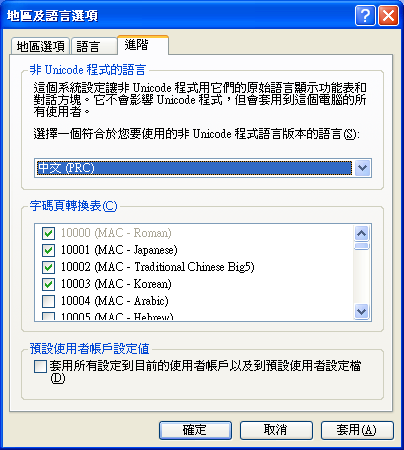
如果還有亂碼,就到:地區及語言選項 » 地區選項 » 標準及格式,設定為:中文(PRC)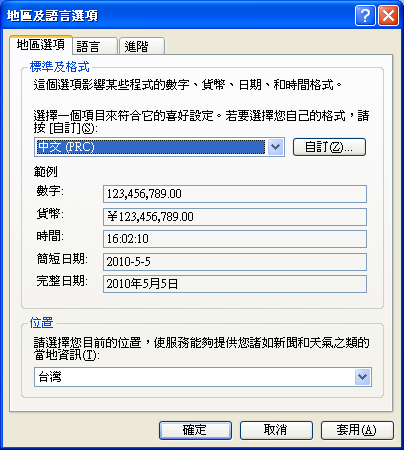
Windows 7
Region and Language » Administrative » Change System locale... » 設定為:Chinese (Simplified, PRC)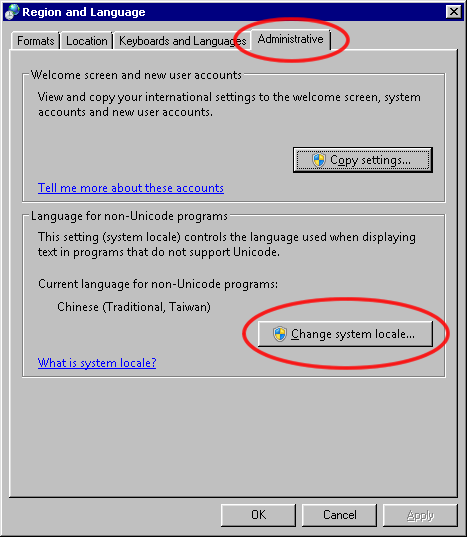
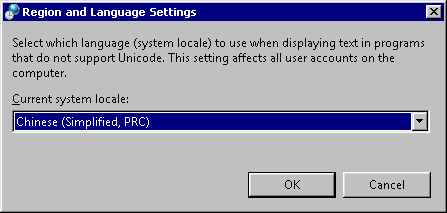
如果還有亂碼,就到:Region and Language » Formats,將 Format 設定為:Chinese (Simplified, PRC)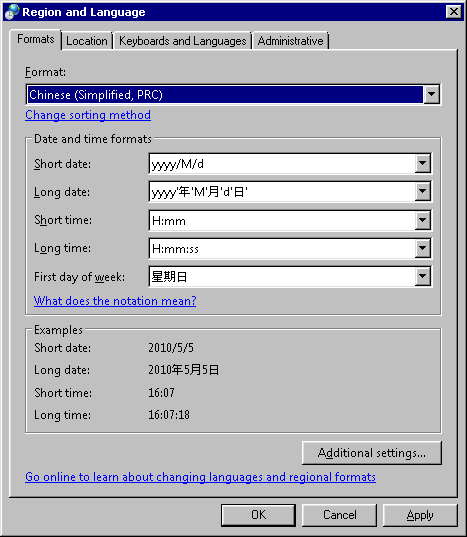

請先 登入 以發表留言。